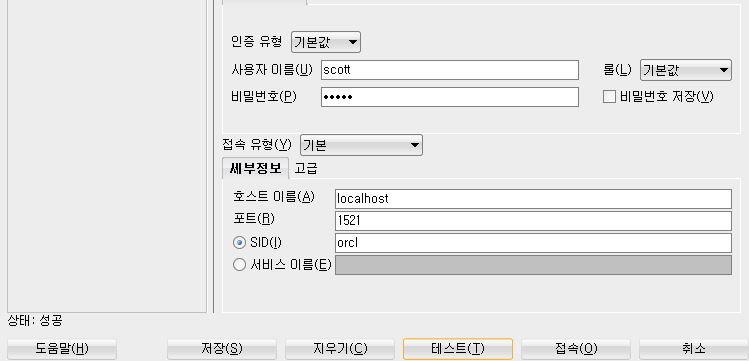
1. Oracle SQL Developer 사용하여 DB접속 테스트
2. JUnit dependency 추가
- 테스트를 위해 JUnit 사용
 <dependency>
            <groupId>junit</groupId>
            <artifactId>junit</artifactId>
            <scope>test</scope>
</dependency>
3. 테스트 할 JDBCTest 클래스 생성
package com.example.hello;

import org.junit.Test;
import org.slf4j.Logger;
import org.slf4j.LoggerFactory;
import org.springframework.boot.test.context.SpringBootTest;

import java.sql.Connection;
import java.sql.DriverManager;

@SpringBootTest
public class JDBCTest {
    Logger logger = LoggerFactory.getLogger(getClass());

    @Test
    public void testConnection() throws ClassNotFoundException {
        Class.forName("oracle.jdbc.driver.OracleDriver");

        try(Connection con =
                    DriverManager.getConnection("jdbc:oracle:thin:@localhost:1521:orcl",
                            "scott", "tiger")) {
            logger.info("연결 성공");
        } catch(Exception e) {
            e.printStackTrace();
        }
    }

}
4. 테스트

'Spring' 카테고리의 다른 글
| 20210226 (0) | 2021.02.28 |
|---|---|
| 20210225 (0) | 2021.02.26 |
| 20210224 (0) | 2021.02.26 |
| IntelliJ Mybatis 연동해보기 (0) | 2021.01.03 |
| 인텔리제이 프로젝트 깃허브 연동하기 (0) | 2020.11.22 |

